

Look at the first image.
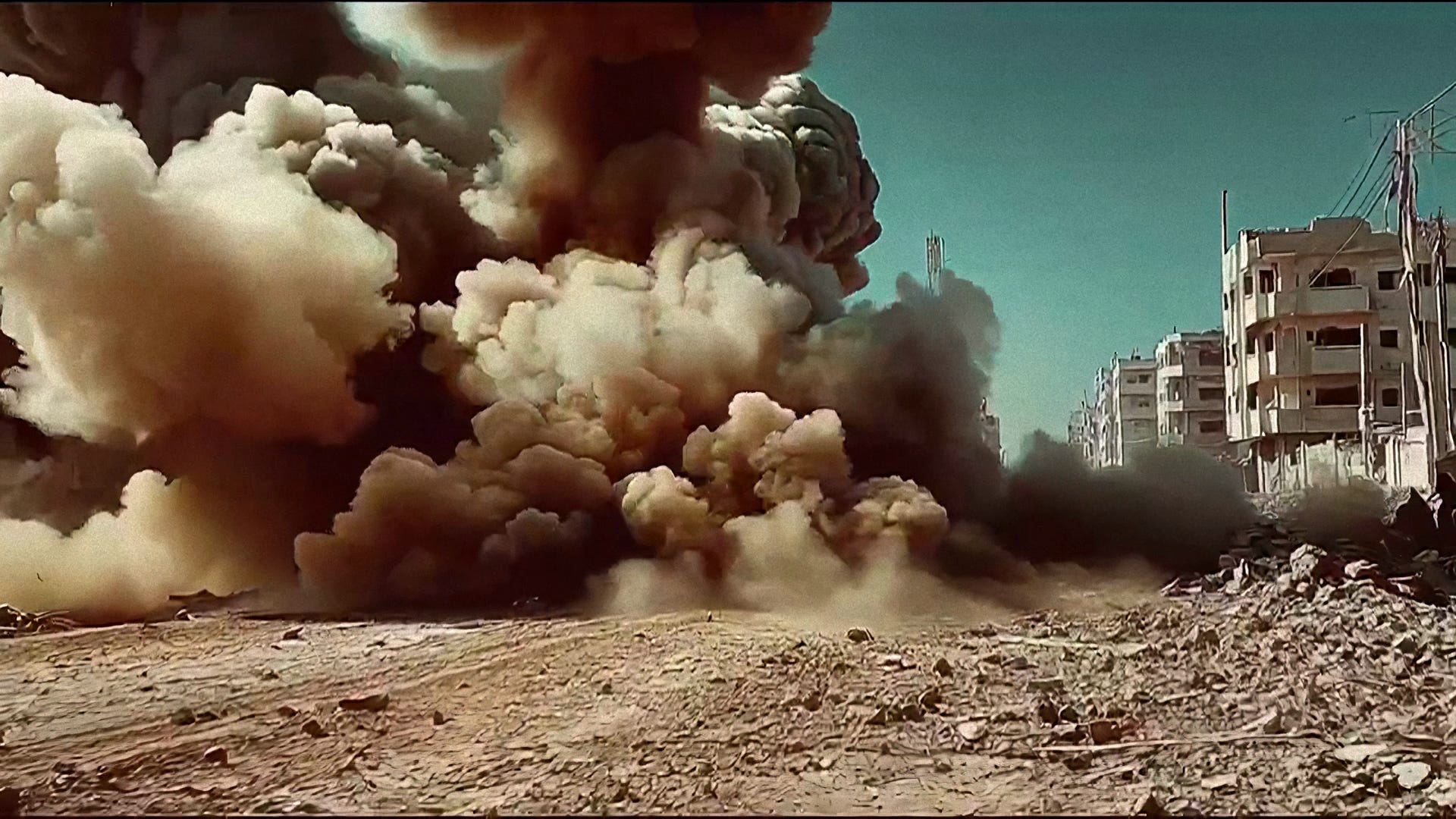
Smoke billows from a rubble-choked street. The colors are wrong in exactly the right way — burnt sienna where grey should be, a teal sky where ash should dominate. The grain sits on the image like memory. It doesn’t look like AI. It doesn’t look like a video game. It looks like something a photojournalist shot on a roll of Kodachrome they found in a bag they weren’t supposed to open.
That image cost less than a penny to generate.
Someone in the comments estimated fifty dollars. They were off by a factor of five thousand.
Here’s how it works.
What a Pcode Actually Is
Midjourney lets you do something most people don’t know exists: you can train the platform on a set of reference images and lock that visual fingerprint into a reusable code. They call it a Style Reference Profile. The community calls it a pcode.
The pcode isn’t a filter. That’s the first misconception to kill.
A filter sits on top of an image and changes its surface. A pcode sits inside the generation process and changes what the model reaches for. The difference matters enormously. A filter applied to a flat, badly-composed image gives you a flat, badly-composed image with a film grain overlay. A pcode trains the model to see the way a specific visual tradition sees — to reach for oblique angles before straight ones, for deep shadows before even lighting, for saturated analog color before digital neutrality.
Think of it this way. Suppose you wanted to paint like Caravaggio. You could buy a brown paint and add it to any painting — that’s a filter. Or you could spend months studying how Caravaggio thought about where light enters a scene, why he put his subjects in darkness and pulled only their hands and faces into the beam. The second approach changes how you compose before you ever pick up a brush. That’s a pcode.
The technical mechanism works like this: Midjourney’s --profile flag accepts one or more style codes — the 9vpvb2l 44qs9jw in my prompt — and during the diffusion process, those style embeddings act as additional conditioning signals alongside the text prompt. The model is simultaneously asking “what does this text describe?” and “what would this visual tradition do with that description?” Both signals shape every generated pixel.
How I Built This One
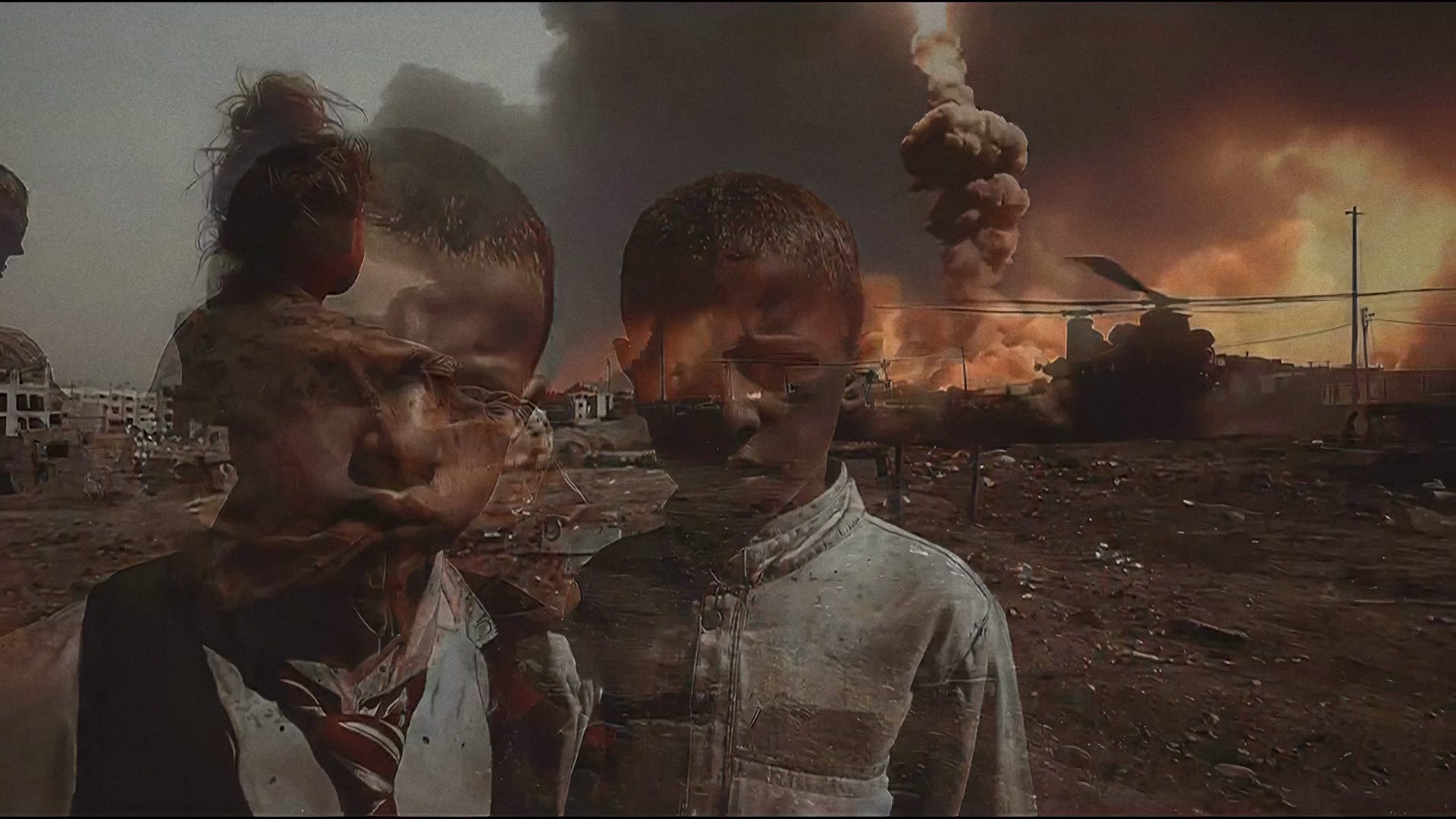
The images in this series — the explosion filling a destroyed street, the children with a warzone double-exposed onto their faces, the women with the haunted eyes, the soldier holding someone in ruins, the two figures walking toward a sky filled with warplanes — all came from a single prompt with a single style profile. The visual language was designed before the prompt was written.
Here is the prompt I used:
[SUBJECT] missile strikes in the middle east, explosions, documentary war
footage aesthetic, iPhone photography, Saturated Kodachrome colors, shallow
depth of field, wide-angle lens, everyday mundane subjects shot from low or
oblique angles, harsh natural light with deep shadows --ar 16:9
--profile 9vpvb2l 44qs9jw
Notice what this prompt is doing on two separate levels.
The text prompt is establishing content and technical aesthetics: what the scene depicts, what camera behavior to simulate, what color science to reference. “iPhone photography” tells the model something specific — consumer optics, slight barrel distortion, colors that push toward saturation rather than pulling toward neutrality. “Kodachrome” tells it something specific about the film stock simulation: warm shadows, pushed reds and yellows, the particular way that photochemistry aged.
The --profile flag is doing something different. It’s saying: regardless of what the text asks for, filter every decision through this visual tradition. It’s the difference between telling someone “take a documentary photo” and handing them Robert Capa’s camera, still loaded with his film, and asking them to finish the roll.
The pcode 9vpvb2l is a style I built by feeding Midjourney reference images from a specific visual tradition — documentary war photography with the color treatment of 1970s photojournalism. The second code, 44qs9jw, added the double-exposure and composite layer quality visible in images two and three: that specific technique of merging faces with the scenes they’ve witnessed.
How to Build Your Own Pcode
This is the part most tutorials skip because most tutorials are about prompts, not about training a visual grammar.
Step one: Understand what you’re trying to capture.
Before you open Midjourney, you need to articulate the philosophy of the visual style you want — not just its surface features. “Dark and moody” is a surface feature. “Oblique angles that create psychological instability, shadows that hide more than they reveal, color grading that makes the past look like it’s bleeding into the present” — that’s a philosophy. The pcode will capture philosophy. It won’t save you from vague thinking.
Step two: Curate reference images obsessively.
Midjourney’s style training works by looking at a set of images you provide and finding what they share — not their subjects, but their visual decisions. You need 10–20 images minimum. They should share a visual language, not a subject. War photography and wedding photography can share a visual language if they both use the same oblique framing and film stock. Your reference images should make a stranger say “these all look like they came from the same eye” without knowing what connects them.
Here’s how I actually built mine, and it’s not what you’d expect.
I didn’t start with a curated archive of war photographers. I started with almost nothing — a rough prompt, a vague instinct about what I wanted, and a willingness to generate a lot of bad images.
The first batch of fifty generations might yield five images that have something. A quality you can’t fully name yet but can recognize. Those five go into a moodboard. You generate fifty more. Maybe six of those belong. Those go in too. The moodboard grows slowly — ten images, then twenty, then forty. You’re not curating from the outside world. You’re training the model on its own best outputs, filtered through your eye.
This is the feedback loop that most people miss entirely.
By the time my moodboard reached fifty to a hundred images, something had shifted. The style had become self-reinforcing. What started as five usable images out of fifty became forty usable images out of fifty. The model had learned — through the accumulated weight of what I kept selecting — what I was actually reaching for. The pcode encoded that learning.
Step three: Upload and generate the profile.
In Midjourney, use the /tune command. Upload your reference images. Midjourney will generate style variations and ask you to choose which ones capture the aesthetic you’re after. This is iterative — you’re training the model on your preferences, not just on the images. The resulting code — a string like 9vpvb2l — is your pcode.
Step four: Test destructively.
The way you know a pcode is working is by giving it subjects that should resist the aesthetic and watching whether it holds. Suppose you apply my war-documentary pcode to a prompt about a coffee shop on a quiet morning. If the result looks like a documentary photograph of a coffee shop — harsh side light, slightly desaturated midtones, the color treatment of old film — the pcode is doing its job. If it looks like a generic AI coffee shop image, the pcode is weak.
I tested mine against mundane subjects: an empty kitchen, children playing in a park, a road at midday. Every result looked like it was pulled from a photojournalist’s contact sheet. The visual grammar held across content.
The Technique the Comments Couldn’t See
Several things in these images come from the pcode, not the text prompt, and they’re worth naming precisely because they reveal how the approach works.
The double-exposure quality in images two and three — children’s faces with warzone imagery composited onto them, women’s faces layered with crowd scenes — is not a Photoshop effect applied afterward. The pcode contains style embeddings from images where this technique was used. When the model generates, it reaches for that compositional vocabulary naturally. The prompt didn’t ask for double exposure. The visual tradition did.
The color temperature war happening in image one — the teal sky fighting against the orange-brown smoke — is Kodachrome’s specific way of handling high-contrast outdoor scenes. Kodachrome pushed blues and yellows in opposite directions under direct sunlight. The text prompt named Kodachrome. The pcode had already been trained on what that name actually meant in practice.
The oblique framing in image seven — the female soldier sitting with her back to camera, watching the burning helicopters — came from the pcode’s training on images where ground-level, behind-the-subject framing was used to create psychological implication rather than direct documentation. The viewer sees what the subject sees. That’s a compositional philosophy, not a camera setting.
What This Costs and What That Means
Someone looked at these images and saw fifty dollars.
The actual cost was under one dollar in Midjourney credits. The hour of time was spent not on generation — that takes seconds — but on the pcode training: curating reference images, running the tuning iterations, testing the profile against resistant subjects.
This is the important distinction. The expensive part of this process isn’t the generation. It’s the thinking that precedes the generation. Building a pcode that works requires understanding the visual tradition you’re borrowing from well enough to curate its reference images with precision. That understanding is the product of looking carefully at photographs, thinking about why they work, and being able to articulate the philosophy behind the framing decisions.
The people who spend fifty dollars — or five hundred — are usually skipping that phase. They’re writing longer prompts, hoping that more words will substitute for visual clarity. They’re generating dozens of images looking for one that works, rather than training the model to generate within a tradition that produces what they want by default.
Effort spent before the prompt is leverage. Effort spent in the prompt is expense.
The Question This Raises
I want to be honest about what I’m not certain of here.
The visual traditions I trained this pcode on belong to working photojournalists — people who spent careers in difficult and dangerous conditions to produce the images that trained my model’s aesthetic sense. The pcode captures their visual grammar and makes it reproducible for pennies. That’s technically possible. Whether it’s ethically clean is a different question, and I don’t think the answer is obvious.
What I do know is that this technology exists, it’s being used, and understanding how it works is not optional for anyone who creates visual content professionally. The choice isn’t between using it and not using it — that choice is already being made by the market. The choice is between using it with understanding of what you’re doing, or being surprised by what it does.
The video this article accompanies cost less than a dollar. It looks like a documentary. That gap — between what something costs to produce and what it costs to understand — is the gap worth closing.
That’s what I’m writing about here.
<iframe data-testid=”embed-iframe” style=”border-radius:12px” src=”
width=”100%” height=”352” frameBorder=”0” allowfullscreen=”“ allow=”autoplay; clipboard-write; encrypted-media; fullscreen; picture-in-picture” loading=”lazy”></iframe>
<iframe width=”560” height=”315” src=”
title=”YouTube video player” frameborder=”0” allow=”accelerometer; autoplay; clipboard-write; encrypted-media; gyroscope; picture-in-picture; web-share” referrerpolicy=”strict-origin-when-cross-origin” allowfullscreen></iframe>
The prompts, pcode strings, and full workflow for this project are available at musinique.substack.com


